A fair split follows your agreement.
Choose from five split methods: equal, percentage, amount, shares or line items. Include everyone who took part.
The shared expense tracker
Keep rent, dinners and trips in one ledger. See who paid, what everyone owes, and which expenses are settled.
Please open this page in your system’s default browser.
iOS 1.0 is now available on the App Store.
For groups of 2–20
A shared expense
Weekend groceries
Each person owes¥82.00
Living together means sharing expenses
There is no single way to share expenses. Record each one around the way your group lives.
Rent, utilities and groceries, all in one place. See who paid and how much everyone shares without scrolling through old messages.
Sample data, split equally. In the app, choose the sharing method that fits your agreement.

AI receipt capture
Take or choose a receipt and let the merchant, total and line items be prefilled. Review and edit the result before saving it to the ledger.
Choose from five split methods: equal, percentage, amount, shares or line items. Include everyone who took part.
Payer, participants and confirmation progress stay visible. Changes and questions have their own record and status.
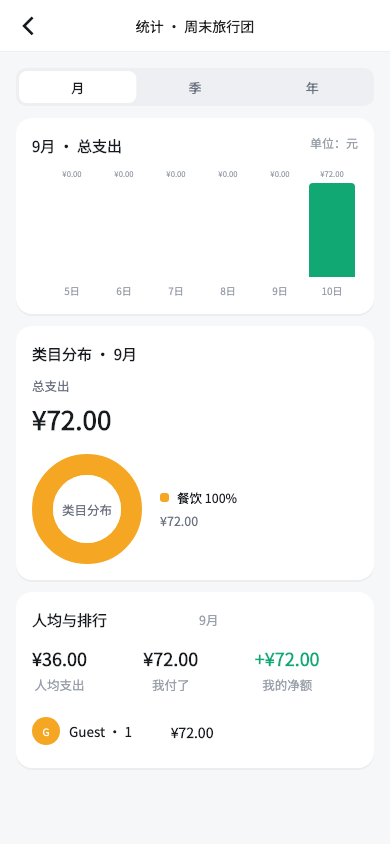
Turn many payments into net amounts and transfer suggestions, with receipt confirmation, category insights and statement export for an easier review.
From the first entry to settlement
Give your shared life one place to keep a record.
Share an invitation so the right people can take part.
Record who paid, who joined and how it is split.
Review each item. If there is a question, resolve it together.
Use the suggestion to complete a transfer and record the outcome.
Treat every shared record with care
Bills and supporting evidence are available only to current members of their group. AI helps prefill; the final decision remains yours.
AaBill provides sharing suggestions and records; it does not move money for you. Complete any transfer in the payment service you choose.
Read the privacy policyAaBill is for small groups of 2–20: housemates, couples, dinners with friends, travel companions and small teams sharing expenses. Create a separate ledger for each situation.
Invited guests can view and confirm bills first. After registering, they can merge that guest identity into an account. Follow the guidance in the app for the full flow.
No. Recognition only prefills a draft. You can edit the total, add or remove line items, check participants and the split, then save it yourself.
No. AaBill organizes splits, net amounts and settlement suggestions, and records confirmations. Move money through the bank or payment tool you choose.
iOS 1.0 is now available. Download it using the official App Store link below; availability depends on your local App Store.

Keep everyday spending clear with the people who matter.
 For iPhoneDownload on the App Store
Please open this page in your system’s default browser.
iOS 1.0 is now available
Download it on the App Store